文件操作 - README.md
返回文件管理
返回主菜单
删除本文件
文件: /usr/local/src/netdata/collectors/python.d.plugin/adaptec_raid/README.md
编辑文件内容
<!-- title: "Adaptec RAID controller monitoring with Netdata" custom_edit_url: https://github.com/netdata/netdata/edit/master/collectors/python.d.plugin/adaptec_raid/README.md sidebar_label: "Adaptec RAID" --> # Adaptec RAID controller monitoring with Netdata Collects logical and physical devices metrics. ## Requirements The module uses `arcconf`, which can only be executed by root. It uses `sudo` and assumes that it is configured such that the `netdata` user can execute `arcconf` as root without password. Add to `sudoers`: ``` netdata ALL=(root) NOPASSWD: /path/to/arcconf ``` To grab stats it executes: - `sudo -n arcconf GETCONFIG 1 LD` - `sudo -n arcconf GETCONFIG 1 PD` It produces: 1. **Logical Device Status** 2. **Physical Device State** 3. **Physical Device S.M.A.R.T warnings** 4. **Physical Device Temperature** ## Configuration **adaptec_raid** is disabled by default. Should be explicitly enabled in `python.d.conf`. ```yaml adaptec_raid: yes ``` Edit the `python.d/adaptec_raid.conf` configuration file using `edit-config` from the your agent's [config directory](/docs/step-by-step/step-04.md#find-your-netdataconf-file), which is typically at `/etc/netdata`. ```bash cd /etc/netdata # Replace this path with your Netdata config directory, if different sudo ./edit-config python.d/adaptec_raid.conf ``` 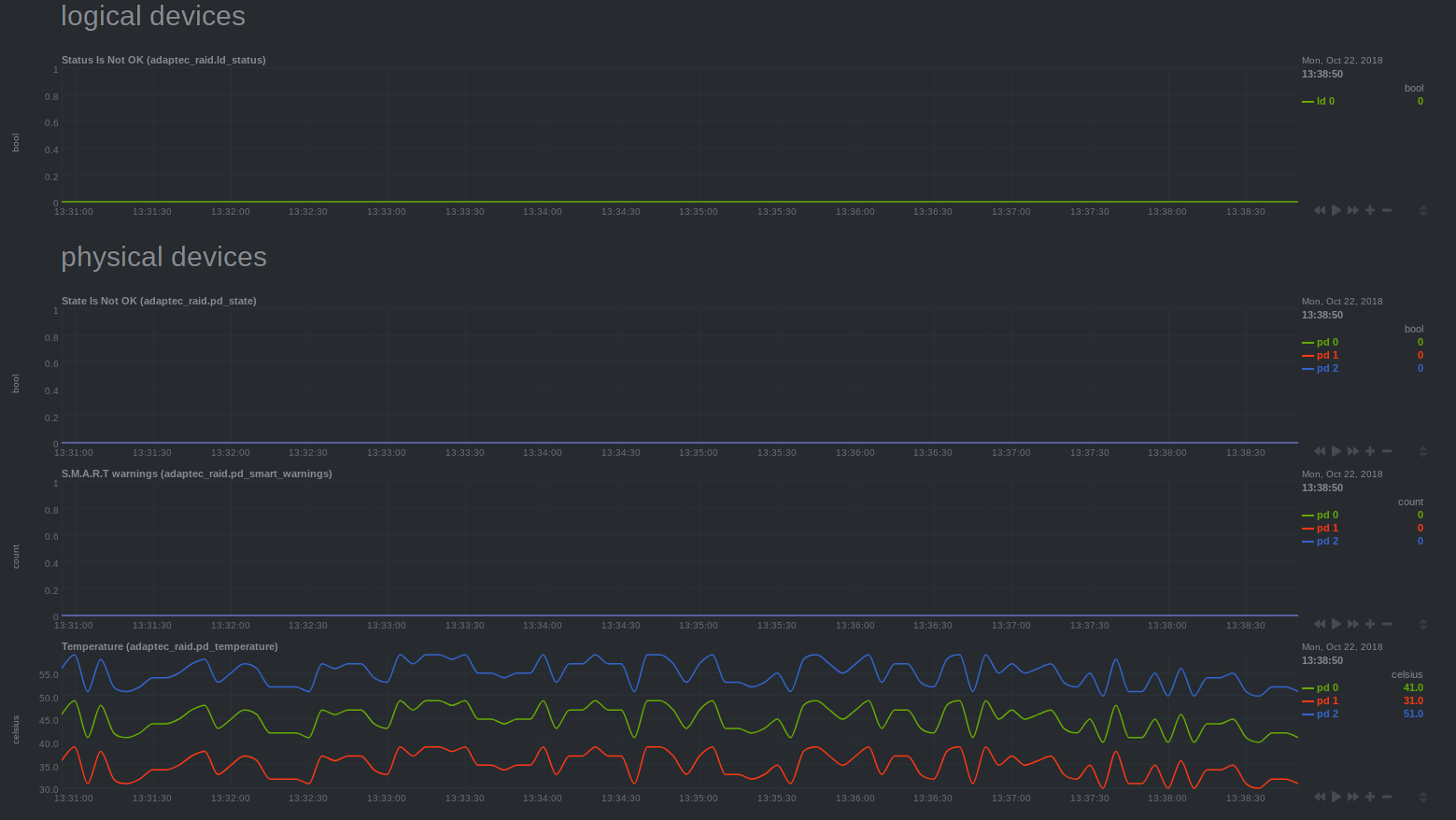 --- [](<>)
修改文件时间
将文件时间修改为当前时间的前一年
删除文件